Purchases
The Purchases section is where brokers can monitor the status of B2B purchase requests and completed B2B purchases.
Use this page after sending a B2B inquiry to check whether the purchase is still waiting for payment confirmation, has been created, or is moving toward ticket delivery.
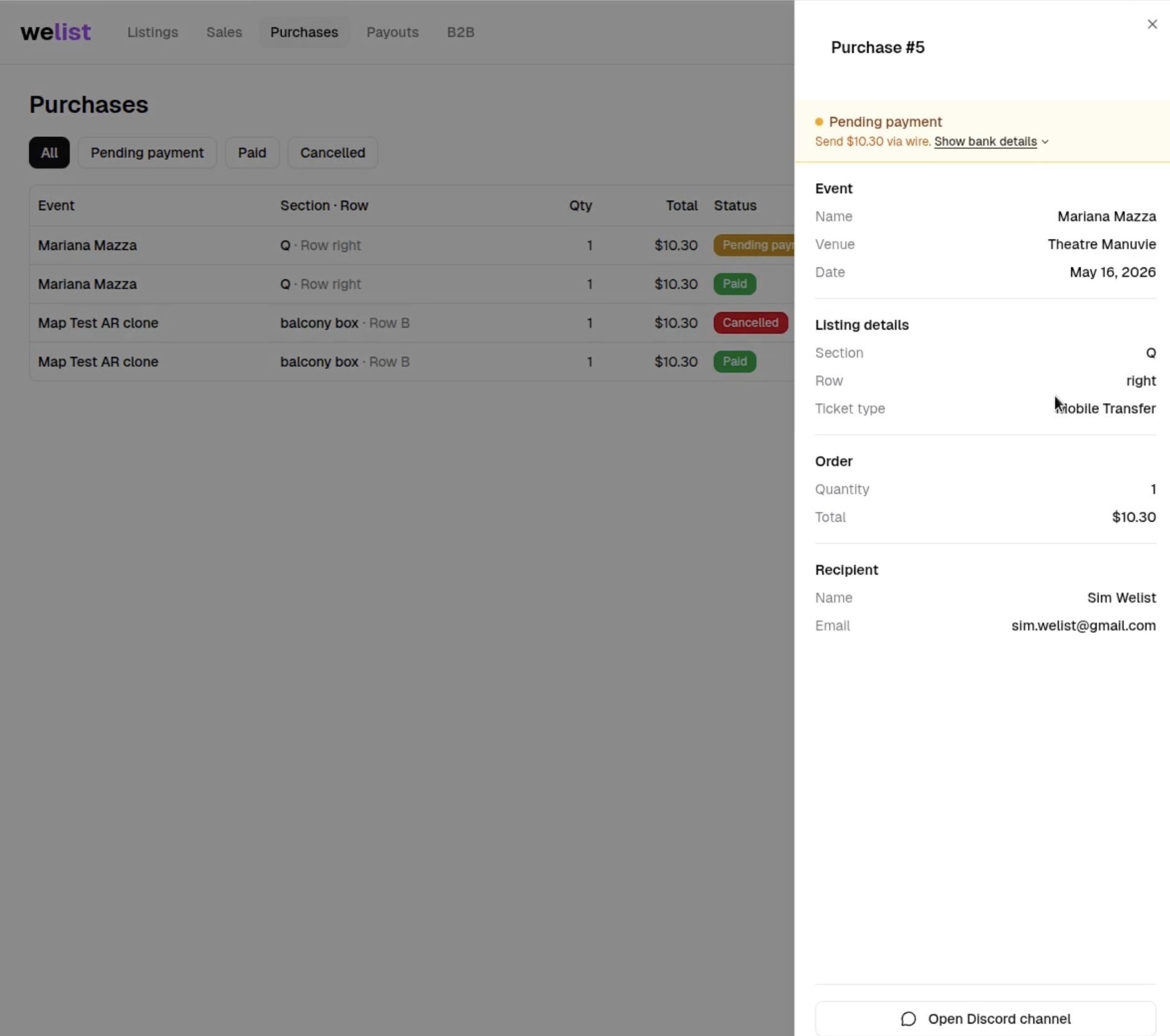
When to use Purchases
Use the Purchases section when:
- A B2B inquiry has been sent
- Payment has not been completed yet
- Payment has been completed and the purchase was created
- The broker is waiting for tickets to be delivered
- The broker wants to check the current state of a B2B purchase
Before payment is completed
After the inquiry is sent, WeList opens a Discord ticket.
Until payment is confirmed, the broker can use Purchases to understand that the request is still in the pre-purchase stage.
At this point:
- WeList Staff confirms purchase details in Discord
- The broker confirms the payment method
- The purchase is not considered completed yet
- Ticket delivery has not started yet
After payment is completed
Once payment is confirmed, WeList creates the purchase.
The broker can then monitor the purchase while waiting for ticket delivery.
At this point:
- The purchase is active
- WeList Staff continues communication through the same Discord ticket
- The broker waits for the tickets to be delivered
- Delivery confirmation will be communicated by WeList Staff in the ticket
What brokers should check
Inside Purchases, brokers should review:
| Detail | What to verify |
|---|---|
| Event | Make sure the correct event was purchased |
| Quantity | Confirm the number of tickets requested or purchased |
| Ticket details | Check section, row, seats, and restrictions |
| Purchase status | Understand whether the request is pending, confirmed, or delivered |
| Payment state | Confirm whether payment has been completed |
| Delivery state | Check whether tickets have been delivered |
Discord ticket remains the source of truth
The Purchases page helps brokers monitor status, but the Discord ticket is where WeList Staff confirms the operational details.
Use the Discord ticket to:
- Confirm payment method
- Confirm payment success
- Receive staff updates
- Receive delivery confirmation
- Ask questions about the purchase
The broker must have the Broker role on Discord to use the support ticket flow correctly. This can be connected from we-list.com/settings.
Next step
After the tickets are delivered, the broker can list, manage, or resell inventory through the normal WeList workflow.
Next: Create a Listing or Manage Listings.