Complete a Sale
Completing a sale means delivering the tickets correctly and submitting the required transfer information inside WeList.
To complete a sale, open the Sales page and click the sale you want to complete. WeList opens a transfer popup where the broker can choose the correct delivery method.
Sale fulfillment
Click the sale and Complete the transfer
Brokers can complete a sale with either Mobile transfer or URL transfer, depending on how the tickets are delivered to the buyer.
View transfer methods →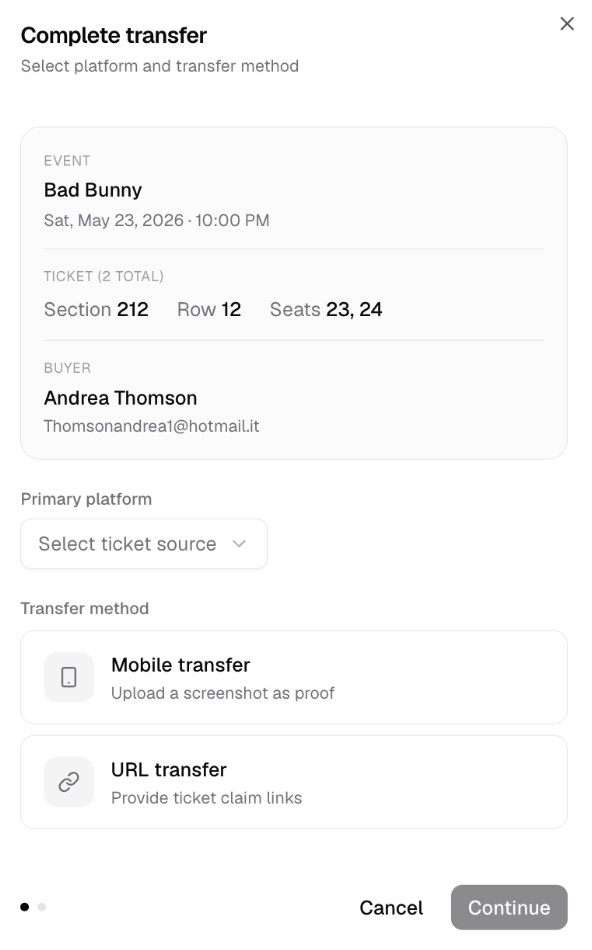
Step 1: Open the sale
From the Sales page, click the sale that needs to be delivered.
The transfer popup shows:
- Event name, date, and time
- Section, row, and seats
- Buyer name and buyer email
- Primary platform selector
- Transfer method options
Step 2: Choose the transfer method
The broker must choose how the tickets will be delivered.
Mobile transfer
Use Mobile transfer when the broker transfers tickets directly from the official supplier or ticketing platform.
Common examples include:
- Ticketmaster
- AXS
- Official venue or team ticketing accounts
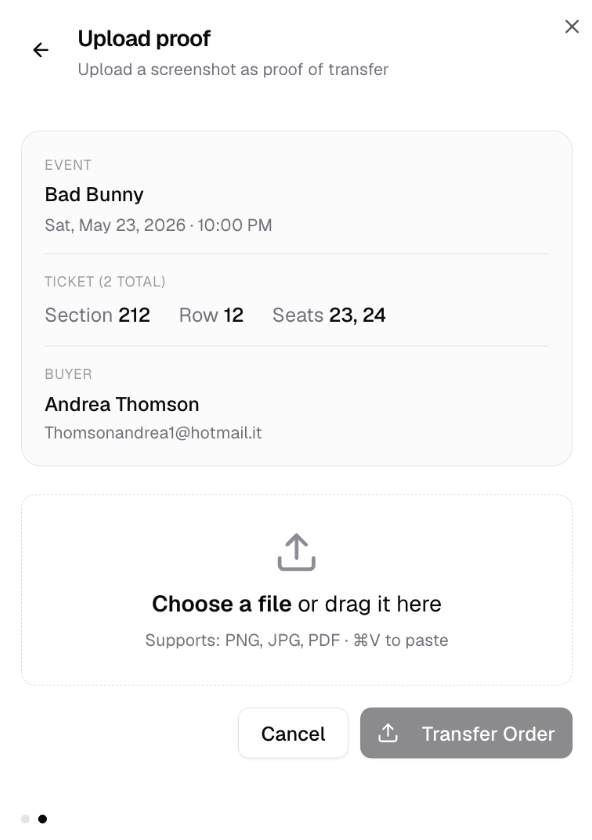
After choosing Mobile transfer, the broker must upload proof that the transfer was completed.
URL transfer
Use URL transfer when the ticket delivery is completed through ticket claim links.
Common examples include:
- SecureMyPass
- PassMyTicket
- Eventim DE claim links
- Club or event systems that issue buyer transfer links
- Some Premier League team ticketing flows where links are sent to the buyer
Step 3A: Complete with Mobile transfer
If the broker selects Mobile transfer, WeList opens the proof upload screen.
The broker must:
- Transfer the tickets from the official ticket source.
- Capture proof of transfer from that platform.
- Upload the proof file inside WeList.
- Click Transfer Order.
Supported proof files include PNG, JPG, and PDF.
Step 3B: Complete with URL transfer
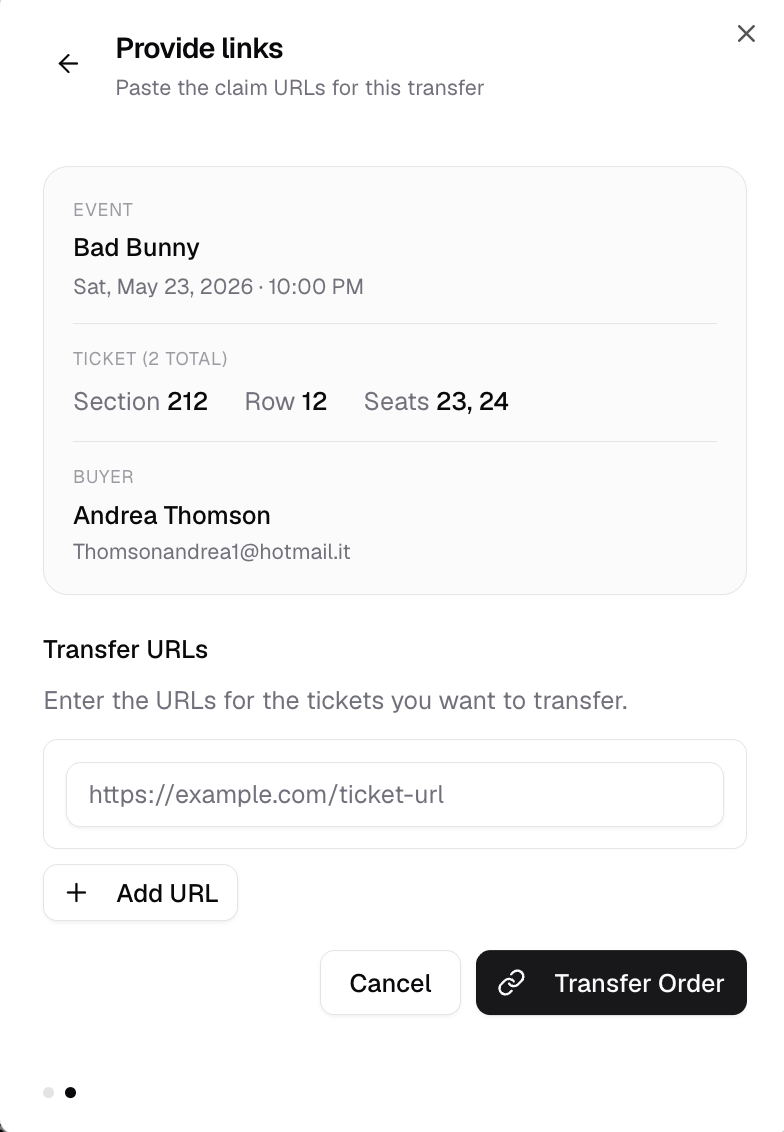
If the broker selects URL transfer, WeList opens the link entry screen.
The broker must:
- Copy the ticket claim URL from the transfer platform.
- Paste the URL into WeList.
- Click Add URL if multiple ticket links are required.
- Click Transfer Order.
If a sale includes multiple tickets and each ticket has a separate claim link, click Add URL, add all the links and after click Transfer Order.
Fulfillment checklist
Before marking the sale as complete, make sure:
- The correct tickets are delivered
- The correct quantity is delivered
- The delivery method matches the order requirements
- The buyer or marketplace instructions are followed
- Delivery is completed before the deadline
- Proof of transfer or all transfer URLs have been submitted
Delivery timing
Delivery requirements can vary by marketplace and event timing.
As a general rule:
| Sale timing | Delivery expectation |
|---|---|
| Sale 5+ days before event | Deliver tickets at least 3 days before the event |
| Sale 1-5 days before event | Deliver tickets within 24 hours of sale |
| Sale less than 24h before event | Deliver tickets within 30 minutes of sale |
If there is a problem
If the broker cannot fulfill the sale, the transaction may be subject to marketplace penalties.
See Broker Workflow: non-fulfillment penalties.
Next step
After delivery is confirmed, monitor the sale status and payout timing.
Next: Sale Status & Payout Timing.