Sales Overview
Sale notification
Your tickets sold!
When tickets sell, the broker receives an email with the Sale ID, event details, seats, payout estimate, profit, ROI, and a direct action to deliver tickets.
Open the Sales overview →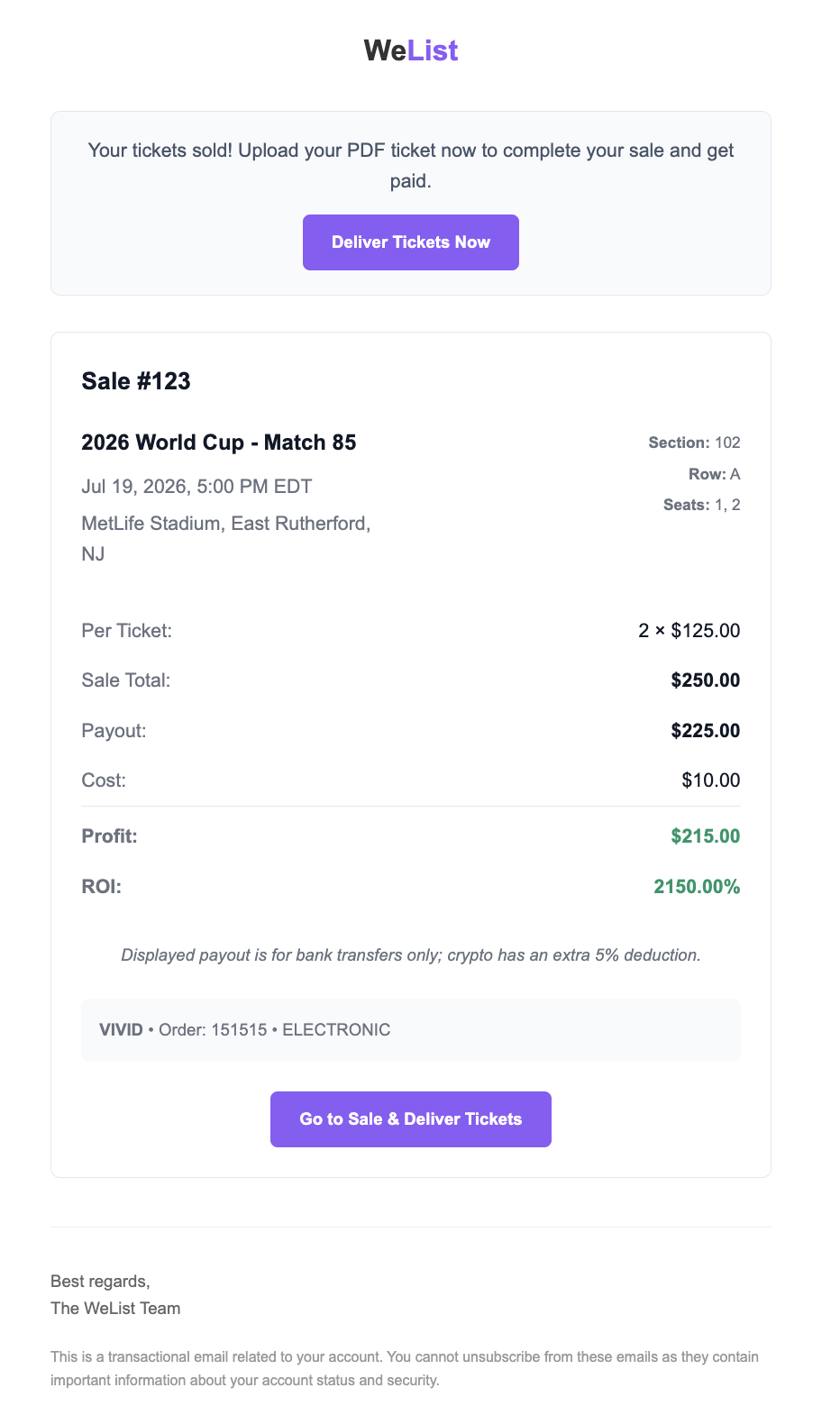
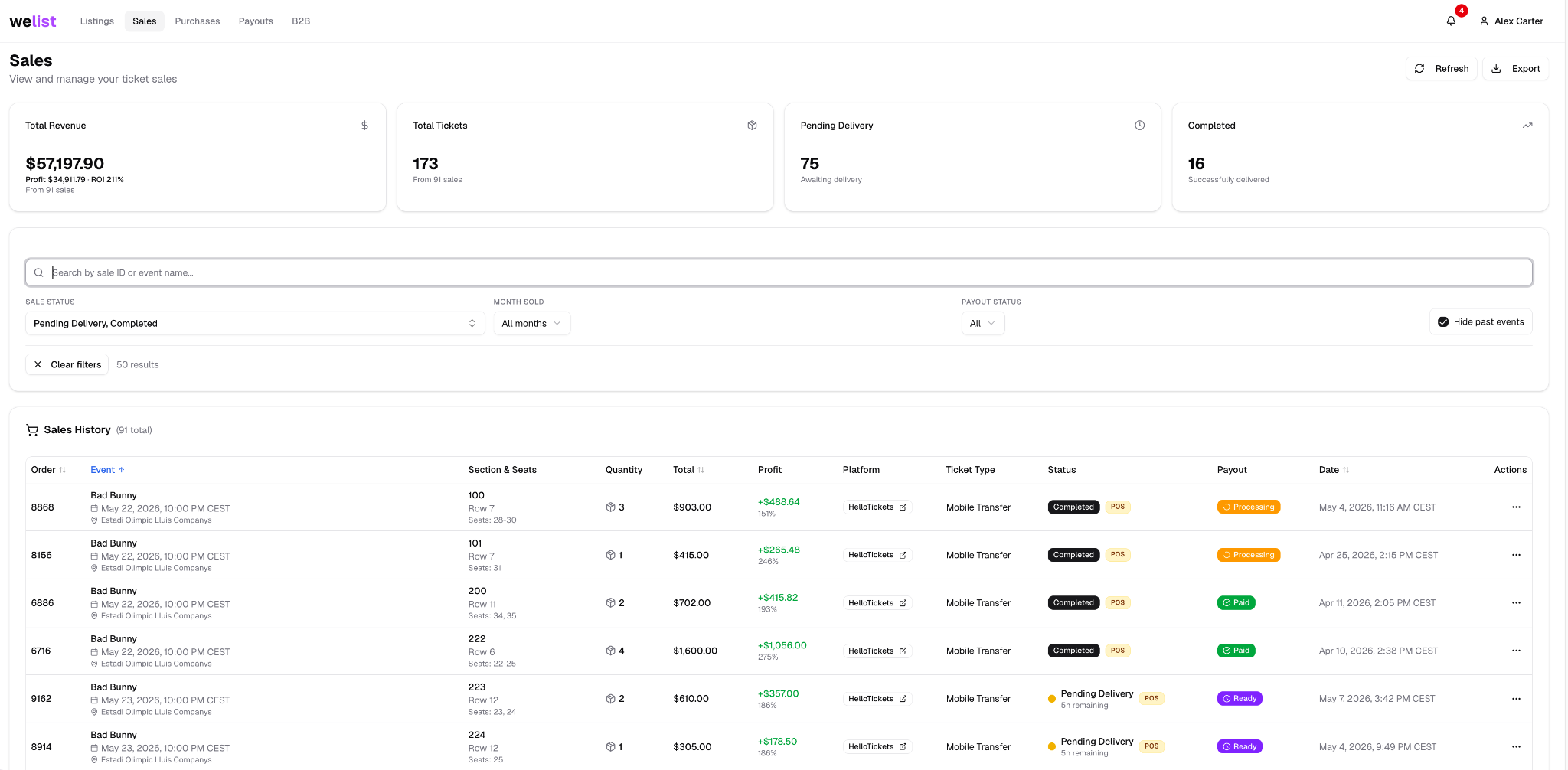
The Sales page gives brokers a complete overview of every sale made through WeList.
From this page, brokers can track delivery status, payout status, sale value, profit, ticket quantity, platform, and the payout stage for each order.
Sales page overview
What the Sales page shows
The Sales page is divided into three main areas.
| Area | What it does |
|---|---|
| Summary cards | Show total revenue, total tickets, pending deliveries, and completed sales |
| Filters | Help brokers search and narrow down sales by status, month, payout status, or event |
| Sales history | Shows every sale with order ID, event, seats, quantity, total, profit, platform, ticket type, sale status, payout status, date, and actions |
The numbers at the top update based on the filters selected by the broker. For example, if a broker filters by a specific month or by Pending Delivery, the revenue, ticket count, pending delivery count, and completed count update to match that filtered view.
Sale status
Sale status tells the broker what needs to happen operationally.
| Sale status | Meaning |
|---|---|
| Pending Delivery | The sale still needs to be delivered by the broker |
| Completed | Delivery has been completed and the sale can move through payout checks |
| Cancelled | Broker did not deliver the tickets or the event got Cancelled by Organizer |
Payout status
Payout status tells the broker where the sale is in the payment flow.
| Payout status | Meaning |
|---|---|
| Processing | The sale is expected to be paid in the current weekly payout cycle, based on the payout method saved in the broker account |
| Ready | The sale is valid and will be paid according to the payout timeline |
| Paid | The sale has already been paid |
For the payout destination saved inside the account, see Payout Method.
For weekly payout days, cut-off rules, and marketplace payout timing, see Payouts.
Search and filters
Brokers can use the search bar and filters to find sales faster.
The Sales page can be filtered by:
- Artist or event name
- Sale ID or order number
- Pending Delivery
- Completed sales
- Payout status, such as Ready, Processing, or Paid
- Month sold
- Past events visibility
This is useful when a broker needs to find a specific order, review all sales from a certain month, or check which sales still need delivery.
Reading one sale row
Each sale row gives the broker the information needed to understand the order quickly.
| Column | What to check |
|---|---|
| Order | Sale/order number |
| Event | Artist, event date, time, and venue |
| Section & Seats | Section, row, and seats sold |
| Quantity | Number of tickets sold |
| Total | Total sale amount |
| Profit | Estimated profit and ROI |
| Platform | Marketplace where the sale happened |
| Ticket Type | Delivery or ticket format |
| Status | Delivery state of the sale |
| Payout | Payment state of the sale |
| Date | Date the sale was created |
| Actions | Sale-specific actions and options |
What happens after a sale
- A listing sells on a marketplace or B2B channel.
- The broker receives an email notification with the sale details.
- WeList updates the remaining stock across connected supported platforms.
- The sale appears inside the Sales page.
- The broker reviews the order details and delivery requirements.
- The broker delivers the tickets.
- Delivery is confirmed.
- The payout status moves through Ready, Processing, and Paid according to the payout rules.