Payouts Page
Payout notification
Get notified when a payout is processed
Every time a broker receives a payout, WeList sends an email with the payout amount, payout method, sale included into the payout, and a direct link to view the payout details.
Open payout overview →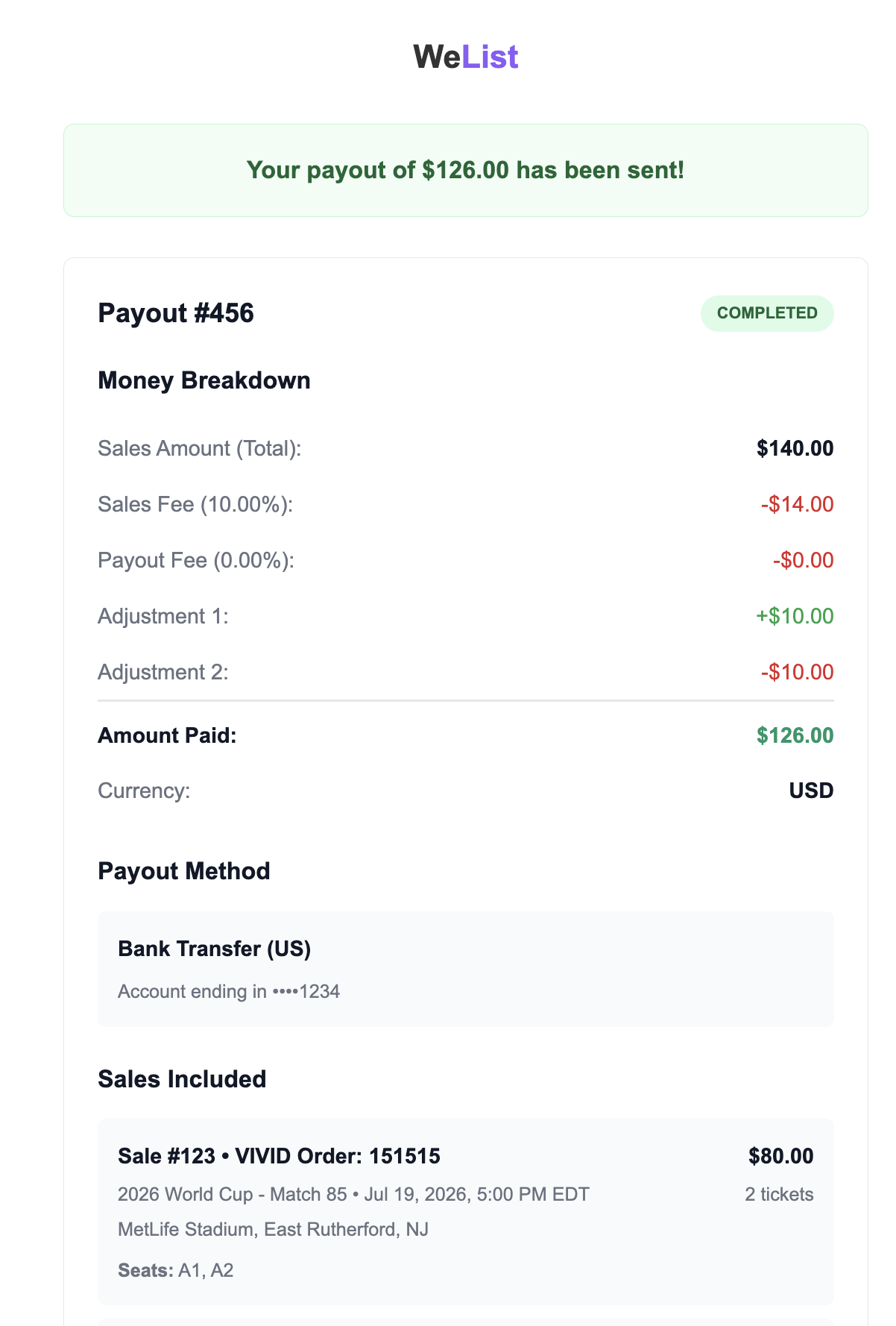
WeList payout timing depends on transaction type, delivery confirmation, weekly cut-off, payout method, marketplace timeline, and account configuration.
For a transaction to enter the payout cycle, delivery must be confirmed according to the applicable order and marketplace requirements.
Before payouts can be sent, the broker must configure a payout destination. See Payout Method.
Payouts page overview
The Payouts page is where brokers track what they already received and what is expected to be paid next.
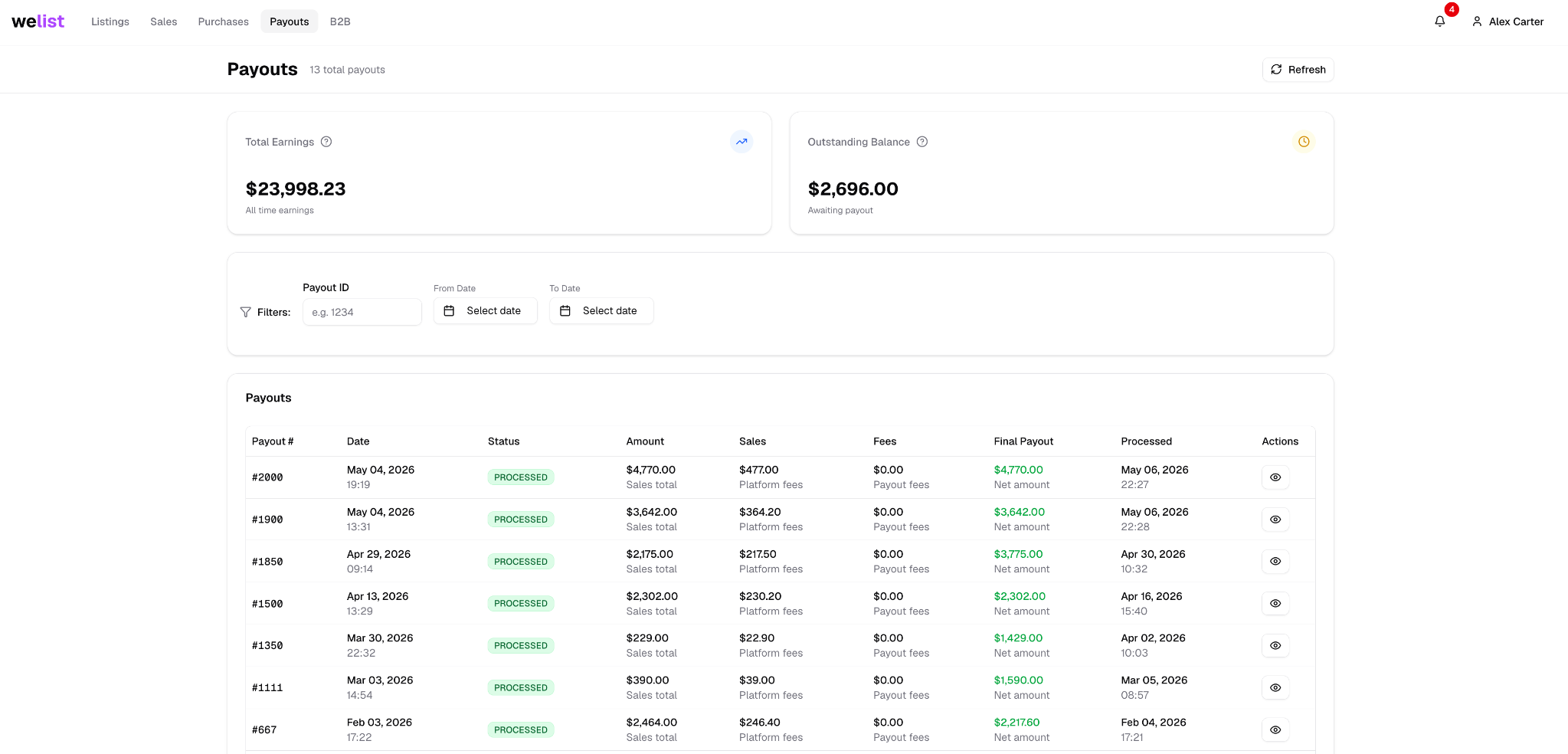
The top metrics help brokers understand payout position at a glance.
| Metric | Meaning |
|---|---|
| Total earnings | Amount the broker has already received through the saved payout method |
| Outstanding balance | Amount expected to be paid in the current weekly payout cycle |
Below the summary, brokers can review every payout they have received.
Payout history
Each payout row gives the broker a high-level view of a payout.
Brokers can check:
- Payout amount
- Payout status
- Payout method
- Creation date
- Processing date
- Sales included in the payout
- Fees and deductions
Clicking a payout opens the payout detail view.
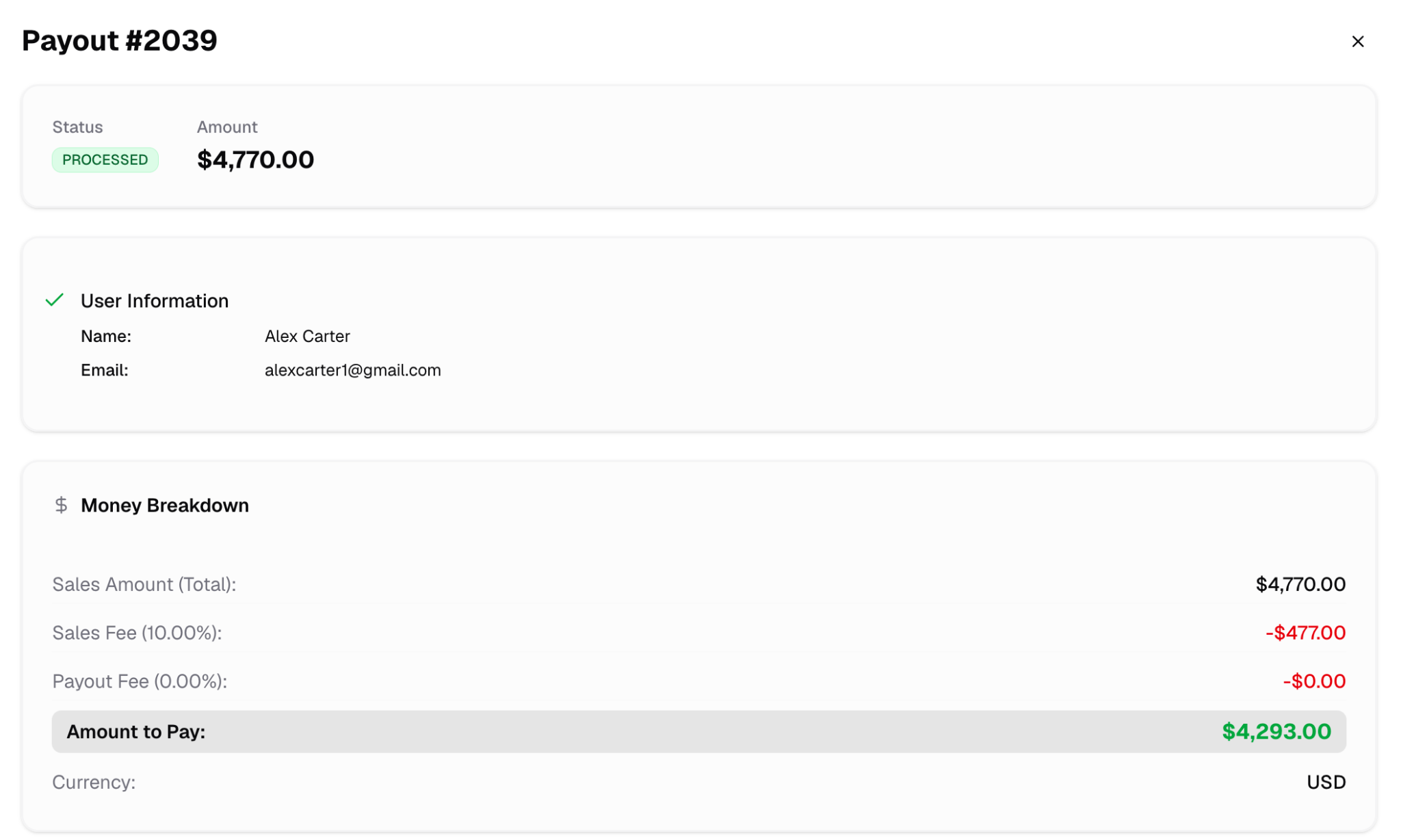
What the payout detail shows
The payout detail explains how the final payout amount was calculated.
| Detail | What it means |
|---|---|
| Gross sales | Sales included in that payout before payout fees |
| Fees | WeList payout fees and any method-specific deductions |
| Net payout | Amount sent to the broker |
| Payout destination | Where the payout was sent |
| Included sales | Sales paid inside that payout batch |
| Created date | Date the payout batch was created |
| Processed date | Date the payout was actually processed |
Payout method details
The payout detail also shows where the broker will receive the payout.
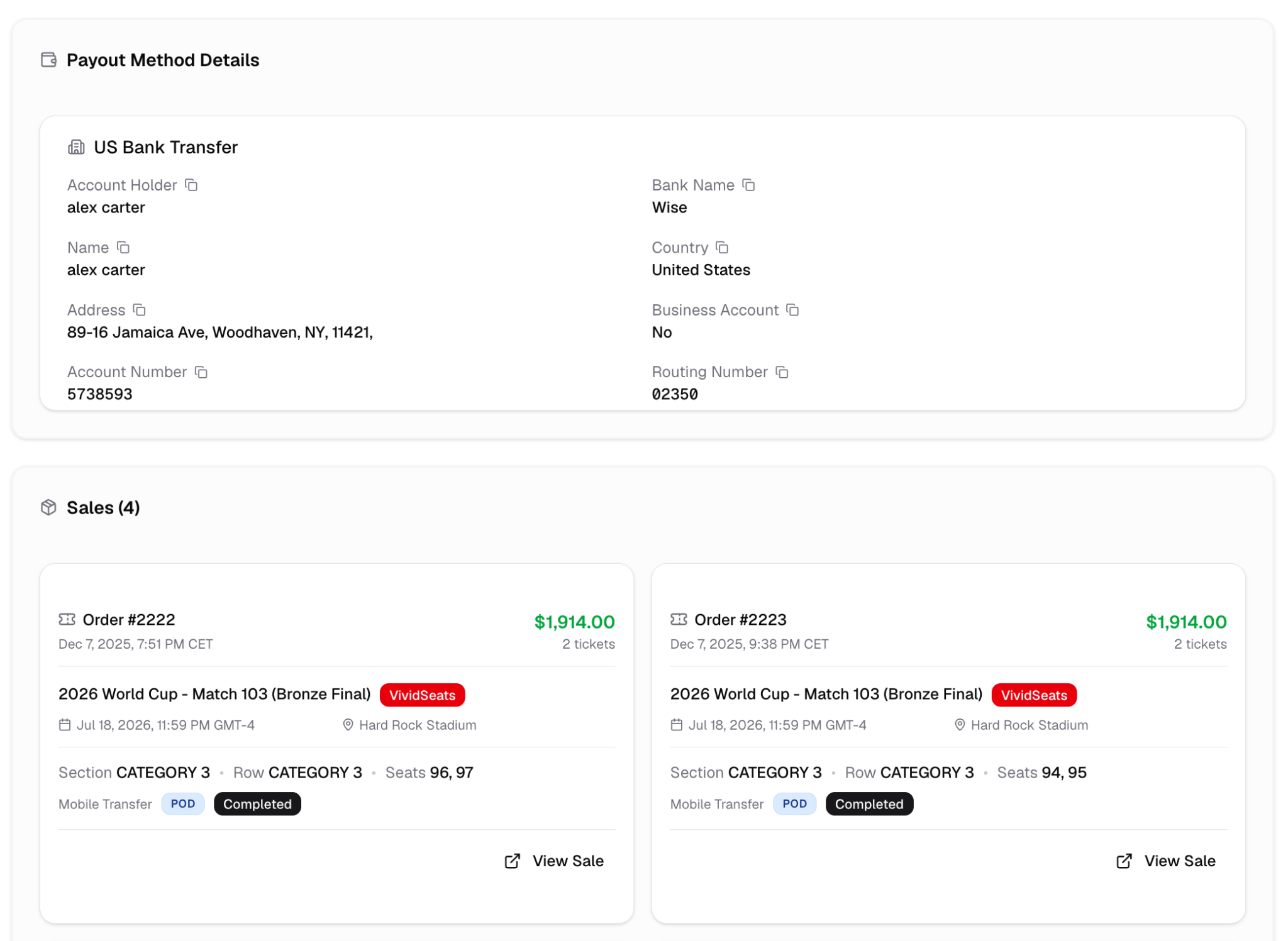
If the payout destination is wrong or incomplete, update it before the next payout cycle: Payout Method.
POD and POS weekly payout policy
POD (Payment on Delivery) and POS transactions follow a weekly payout cycle.
All POD and POS transactions with confirmed delivery status before Monday at 13:00 CET qualify for the current weekly payout cycle.
Transactions confirmed after Monday at 13:00 CET are automatically deferred to the next payout cycle.
The Monday 13:00 CET cut-off is strictly enforced and non-negotiable.
Weekly payout schedule
Once a transaction qualifies for the weekly payout cycle, payouts are processed according to the selected payout method.

| Day | Payout method |
|---|---|
| Wednesday | Revolut payouts |
| Thursday | Bank wire transfers |
| Friday | Cryptocurrency payouts |
Payout fees
Payout fees are calculated from the listing price and depend on the selected payout method.
| Payout method | Fee |
|---|---|
| Revolut | 10% of the listing price |
| Wire transfer | 10% of the listing price |
| Bank transfer | 10% of the listing price + $5 processing fee |
| Cryptocurrency | 10% of the listing price + 5% crypto fee |
Example
If the listing price is $1,000, the payout fee would be:
| Payout method | Calculation | Total fee |
|---|---|---|
| Revolut | $1,000 × 10% | $100 |
| Wire transfer | $1,000 × 10% | $100 |
| Bank transfer | ($1,000 × 10%) + $5 | $105 |
| Cryptocurrency | ($1,000 × 10%) + ($1,000 × 5%) | $150 |
In this example, the amount before any other applicable adjustments would be:
| Payout method | Listing price | Total fee | Estimated payout |
|---|---|---|---|
| Revolut | $1,000 | $100 | $900 |
| Wire transfer | $1,000 | $100 | $900 |
| Bank transfer | $1,000 | $105 | $895 |
| Cryptocurrency | $1,000 | $150 | $850 |
Marketplace payout timelines
Marketplace timing may affect when funds become eligible for payout.
| Marketplace | Payout timeline |
|---|---|
| WeList B2B | 1 week after delivery/event |
| VividSeats | 1 week after delivery/event |
| Ticombo | 1 week after delivery/event |
| HelloTickets | 2 weeks after delivery or 1 week after event |
| SeatGeek | 2 weeks after delivery or 1 week after event |
| StubHub | 2 weeks after delivery or 1 week after event |
Processing time disclaimer
While payouts follow the schedule above, minor delays may occur due to operational volume, compliance checks, or technical constraints.
Any deviation from the standard payout schedule will be formally announced in advance.
Payment review or temporary hold
Payouts may be delayed or temporarily withheld under the following conditions:
- Transactions flagged for irregular or ambiguous activity
- Deliveries confirmed outside the weekly cut-off window
- Incomplete or missing payout configuration details
Required payout configuration
Payout execution requires fully completed account settings.
Brokers must provide:
- Designated payout method
- Valid and accurate payment credentials
If payout configuration is incomplete or inaccurate, payment may be delayed until the account details are corrected and verified.