Payment Method
After KYC and proof of address are completed, brokers must add a credit card before creating listings.
Payment methods are managed here:
https://www.we-list.com/settings/payment
All card payments are processed securely by Stripe. WeList does not store full card details on its servers.
Why a card is required
The card is required as a security payment method for marketplace-related issues.
It may be charged only if there are problems with a sale, such as:
- Seller does not fulfill an order
- Tickets are not delivered correctly
- Buyer is denied entry
- A marketplace applies a penalty to the transaction
For marketplace penalty amounts, see Broker Workflow: non-fulfillment penalties.
Verification charge
When a broker adds a card, a small temporary verification charge of approximately $1 may be applied.
This charge is used to confirm that the card works.
The card is not used for normal payouts. Payouts are managed separately in the payout settings and payout policy.
Add a payment method
- Go to https://www.we-list.com/settings/payment.
- Click Add Payment Method.
- Enter the card details.
- Confirm the payment method.
- Make sure the card appears as active/default.
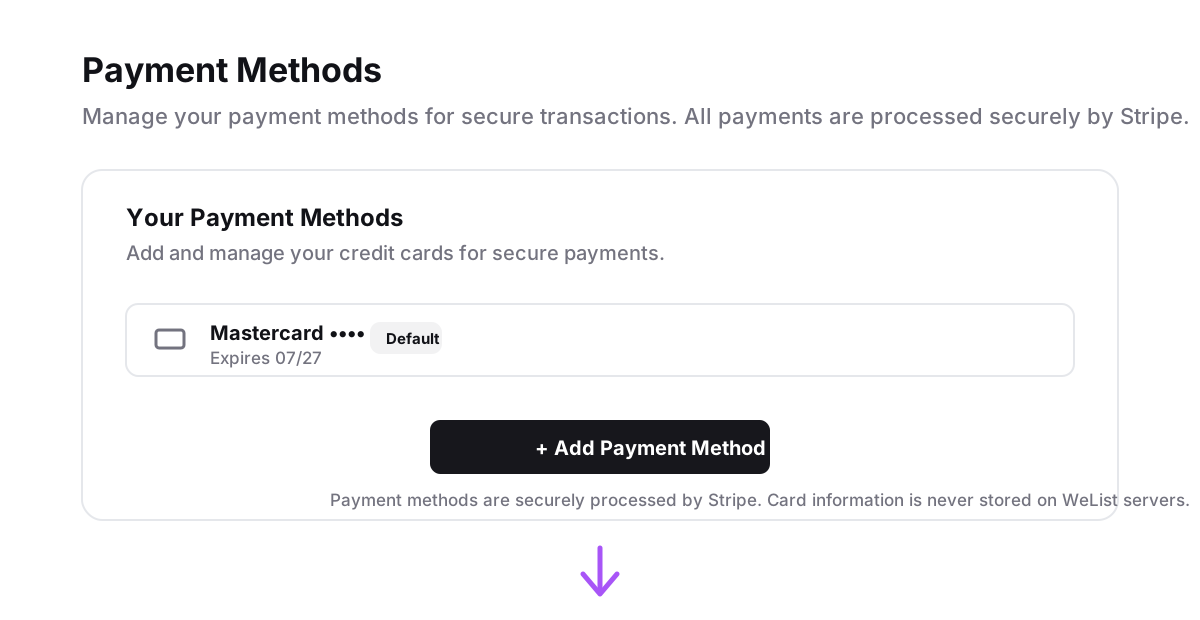
Example using fake card display data:
| Field | Example |
|---|---|
| Card type | Mastercard |
| Last 4 digits | 4832 |
| Expiry | 07/27 |
| Status | Default |
When the card may be charged
The card may be charged if a penalty or marketplace cost is applied because of a problem with a sale.
Examples include:
- Non-fulfillment penalties
- Denied entry claims
- Incorrect ticket delivery
- Marketplace fines passed through to the broker
WeList may use the card on file to recover those costs according to the applicable marketplace rules and broker responsibility.
Next step
After the payment method is added, the broker should configure where payouts will be received.
Next step: Payout Method.