Discord Broker Role
Discord access
Unlock the broker channels
Connect Discord from your WeList settings to receive the Broker role. This unlocks the broker chat and the Discord sections used for support, B2B inquiries, and operational updates.
Open settings →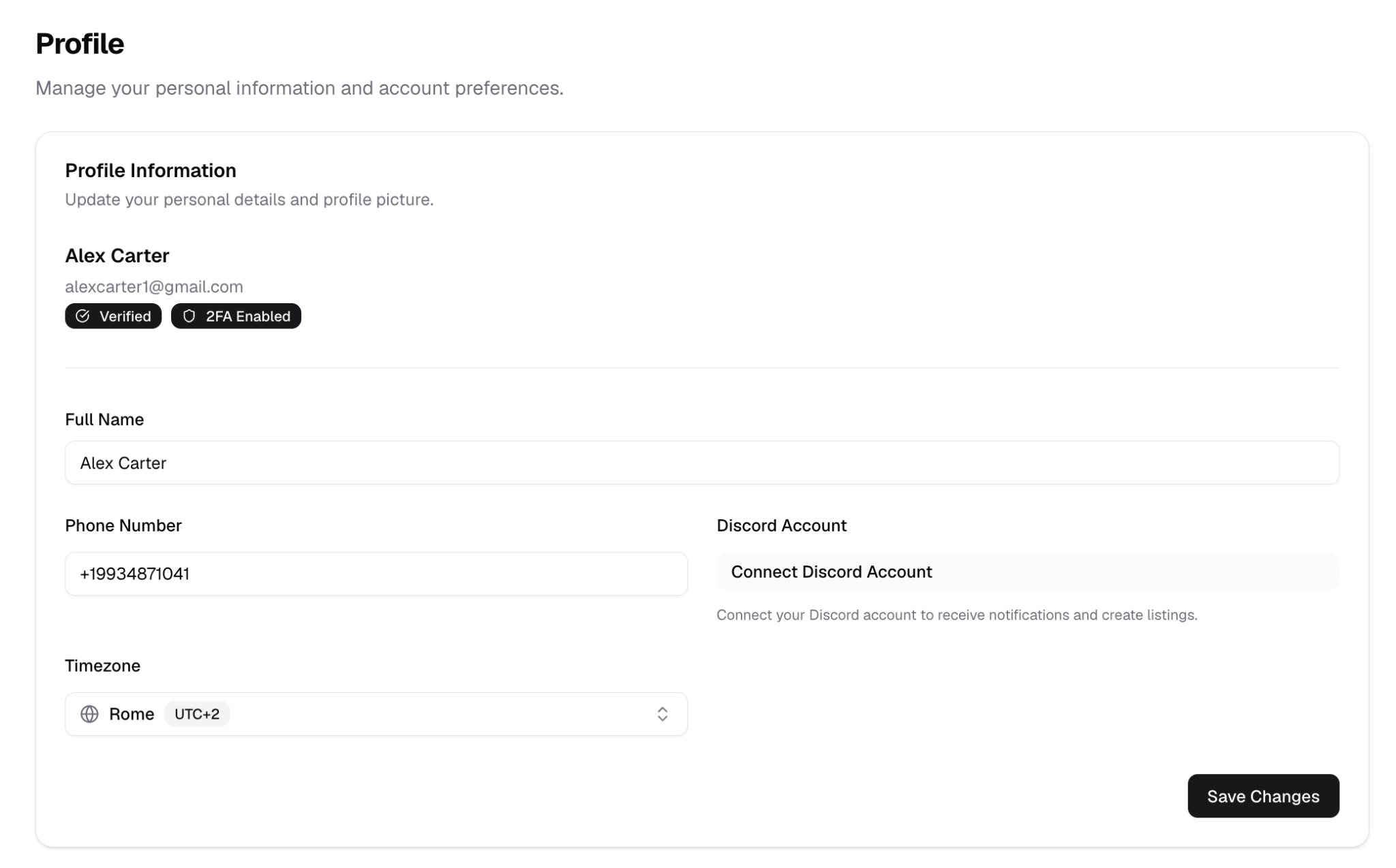
The Broker role connects the WeList account with the broker’s Discord account.
This is important because some operational flows, especially B2B purchase inquiries, can open a Discord ticket with WeList Staff.
How to get the Broker role
- Go to WeList Settings.
- Find the Discord connection area.
- Click Connect Discord Account.
- Complete the Discord authorization.
- Return to WeList and confirm the account is connected.
Once connected, the broker receives the Broker role inside the WeList Discord server.
What the Broker role unlocks
The Broker role gives access to Discord areas reserved for verified brokers.
| Area | Why it matters |
|---|---|
| Broker chat | Communicate inside the broker-only community |
| B2B support | Continue B2B purchase inquiries with WeList Staff |
| Operational updates | Receive relevant updates about workflows and support |
| Ticket support | Help WeList identify the broker account when a Discord ticket is opened |
Use the same Discord account you plan to use for WeList support and B2B purchase tickets.
Before creating listings
Before moving to listing creation, make sure these onboarding steps are completed:
- Account created
- Address completed
- KYC submitted through the third-party verification flow
- Payment method added
- Payout method saved
- Discord account connected and Broker role received
Next step: Create a Listing.